




Data Breach in the News: How to Secure Your Home Office Tech
Data breach headlines spiked across UK news this week. Here is how a simple webcam and a decent set of earphones can make your home office setup more private and more productive.
SHOPTHIVA Editors
Why data breach stories should make you look at your desk
This week the UK feed is full of data breach headlines, from leaked login lists to companies admitting customer details have been exposed. It is easy to read those stories, feel a little uneasy, and then carry on exactly as before. But a data breach usually does not happen through a dramatic hack. More often it starts with something small: a reused password, an unsecured device, or a video call that was not as private as it seemed.
Most people spend eight or more hours a day at a desk, and the gadgets on that desk handle an enormous amount of sensitive information. Your webcam sees your home. Your microphone hears your conversations. Your device stores your passwords, your banking app, and your messages. When you think about it honestly, the tools in front of you deserve more thought than the average setup gets.
You do not need to spend a fortune to make your home office noticeably more secure and more private. Two of the most useful upgrades are a webcam with a built in microphone and a decent pair of wireless earphones. Together they control what your computer can see and hear, and they make sure you are not broadcasting audio through a tinny speaker into your whole house.
The point of this guide is not to scare you or to sell you a full security audit. It is to show you that a small, honest upgrade to your desk can close a surprising number of everyday gaps. If a single data breach headline was enough to make you look at your router, it is worth looking at the device sitting next to it too.
A good rule of thumb: if you would not want a stranger to hear or see it, find out which device has access to it first. A webcam you can control and earphones that keep your audio to yourself are two of the simplest places to start.
What to look for in a secure home office webcam
The camera-1080p-hd-computer-usb is the kind of device that quietly earns its place on a desk. It plugs straight into a USB port, needs no separate power supply, and brings its own built in microphone, which means you are not juggling three separate cables to get a video call working. At £21.99 it sits well under the price of most branded business webcams, and for day to day video calls the image quality is more than enough.
A dedicated webcam matters for privacy in a way that a laptop camera does not. With a standalone camera you control exactly where it points and when it is on. Most of these units have a physical or software lens cover, so you are not relying on a tiny LED light you can barely see to tell you whether you are live. Knowing the camera is off is a lot more calming than wondering if it is on.
The built in microphone on this type of unit is genuinely helpful for private calls because it focuses on your voice rather than picking up the whole room. When you combine it with a pair of earphones you get a simple rule: the call goes in your ears and your voice goes to the call, and very little leaks into the space around you. That matters whether you are talking to a client or a family member in the next room.
There is a practical limit to what any webcam does for security. It will not stop malware, and it will not fix a reused password. But it removes a whole class of small privacy risks that people rarely think about, which is exactly the kind of low effort upgrade that is worth making before you worry about anything more technical.
If you are on calls for more than an hour a day, this is the single cheapest change to your setup that improves both your privacy and your video quality at the same time.
Why wireless earphones help keep your conversations private
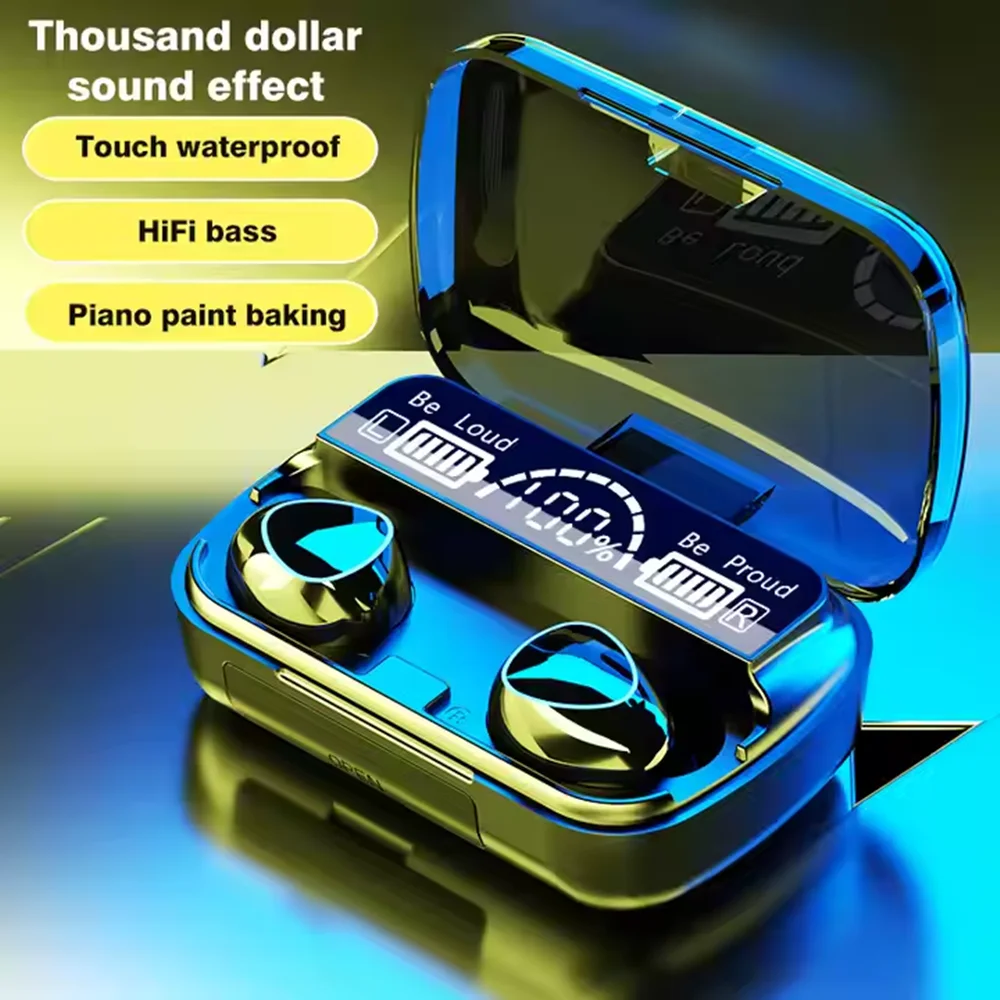
The arrival-m10-earphone-wireless-headset is a compact true wireless headset that pairs quickly with your laptop, phone, or tablet. At £17.99 it is an inexpensive way to take your audio out of the shared space and into your own ears. The difference between hearing a meeting through built in speakers and hearing it through earphones is more than comfort, it is privacy.
When you are the only person who can hear the call, you stop worrying about whether your partner in the next room can follow the conversation. That alone changes how you talk. You speak more freely, you mention things you might otherwise dance around, and you stop having to lean in and cup your hand around the phone. It sounds like a small thing, but it makes long workdays noticeably easier.
Wireless earphones also keep you away from the laptop microphone, which improves call quality on both ends. Built in laptop mics pick up keyboard noise and room echo. Earphone mics sit close to your mouth and pick up mostly your voice, so your colleagues hear you clearly and you hear them without straining. That is a straightforward productivity win.
On the security side, wired or wireless, keep your device audio private by turning off any assistant that is waiting for a wake word when you are in a sensitive conversation. And remember that a pair of earphones does not change what your phone or computer can hear from its own microphones, so it is still good practice to close unused apps and check your microphone permissions once in a while.
For most people the combination of a USB webcam and a pair of true wireless earphones replaces three or four older, clunkier devices, and it does so while making the setup feel more considered.
Simple habits that make a bigger difference than gear
Buying a webcam and a pair of earphones is a good start, but the habits around them do the heavy lifting. The most effective thing you can do after a data breach news cycle is to check the obvious basics: use a different password for every account, switch on two factor authentication wherever you can, and think about which devices can hear and see you at any given moment.
Most data breaches that hit consumers are the result of credentials being reused across sites. If your email and password for one old forum leak, and you used the same details for banking, you have handed someone the keys. A password manager that generates a unique password per site removes that whole problem in an afternoon.
For the physical side, keep your video calls on the device you control. Plug the webcam into the port you expect, keep the lens cover down when you are not in a meeting, and mute your microphone the moment you are not speaking. These are habits that cost nothing and compound into genuine privacy.
It is also worth reviewing which apps have camera and microphone access once a month. On most operating systems there is a clear list of every app that can switch on the camera or microphone. Anything you do not use daily should not be on that list. This is a five minute task and it is one of the most useful things you can do.
Combined, a £21.99 webcam, a £17.99 headset, and an hour of good habits close most of the everyday gaps a data breach headline is really about.
Is this actually worth the money
Let us be honest about the limits. A webcam and a headset will not stop a determined attacker and they will not replace a password manager or software updates. If you are looking for a complete security system, this is not it. But the value of these two devices is in the everyday baseline: they give you control over what your desk can see and hear, which is more than most people have right now.
The cost per use is easy to justify. If you take even a handful of video calls a week, a £21.99 webcam with a built in mic is barely noticeable against the value of calls that keep your full attention, and a £17.99 headset that keeps your conversations private pays for itself the first time you stop worrying about who else can hear the meeting.
There are also knock on benefits that have nothing to do with security. The image quality is better for client calls, the audio is clearer at both ends, and you look far more professional than someone hunched over a laptop camera. Those are the kinds of improvements buyers tend to mention in reviews, and they are the reason a lot of people keep making the upgrade.
The honest verdict: if a data breach story has you thinking about your setup at all, this is the cheapest useful change you can make this week. It is not a magic fix, but it is a real one, and real is better than perfect.
If you wear it once and it sits in a drawer, the spend was a small waste. If it changes how you run your calls, it was one of the better small purchases of the year. That logic applies to almost every desk gadget, and it applies here too.
Featured in this article

Frequently asked questions
Does a separate webcam make my home office more private than using my laptop camera?
Yes, in a practical sense. A standalone webcam like the camera-1080p-hd-computer-usb lets you control exactly where it points and when it is on, often with a physical lens cover. A laptop camera is always built into the machine you carry everywhere, which makes it harder to know what it is doing. Being able to see the lens cover and switch it off is a real privacy win.
Why should I buy wireless earphones for work calls?
Wireless earphones like the arrival-m10-earphone-wireless-headset keep your audio to yourself, remove room echo from calls, and let the microphone sit close to your mouth so people hear you clearly. They also stop your colleagues and family from overhearing the whole conversation through built in speakers, which is the biggest day to day privacy improvement.
Will a good webcam and earphones stop me from being affected by a data breach?
No. A webcam and headset only control what your devices can see and hear. Real data breach protection comes from unique passwords, two factor authentication, and keeping your apps and operating system updated. The gadgets are a useful part of the picture, but they are not a replacement for the basics.